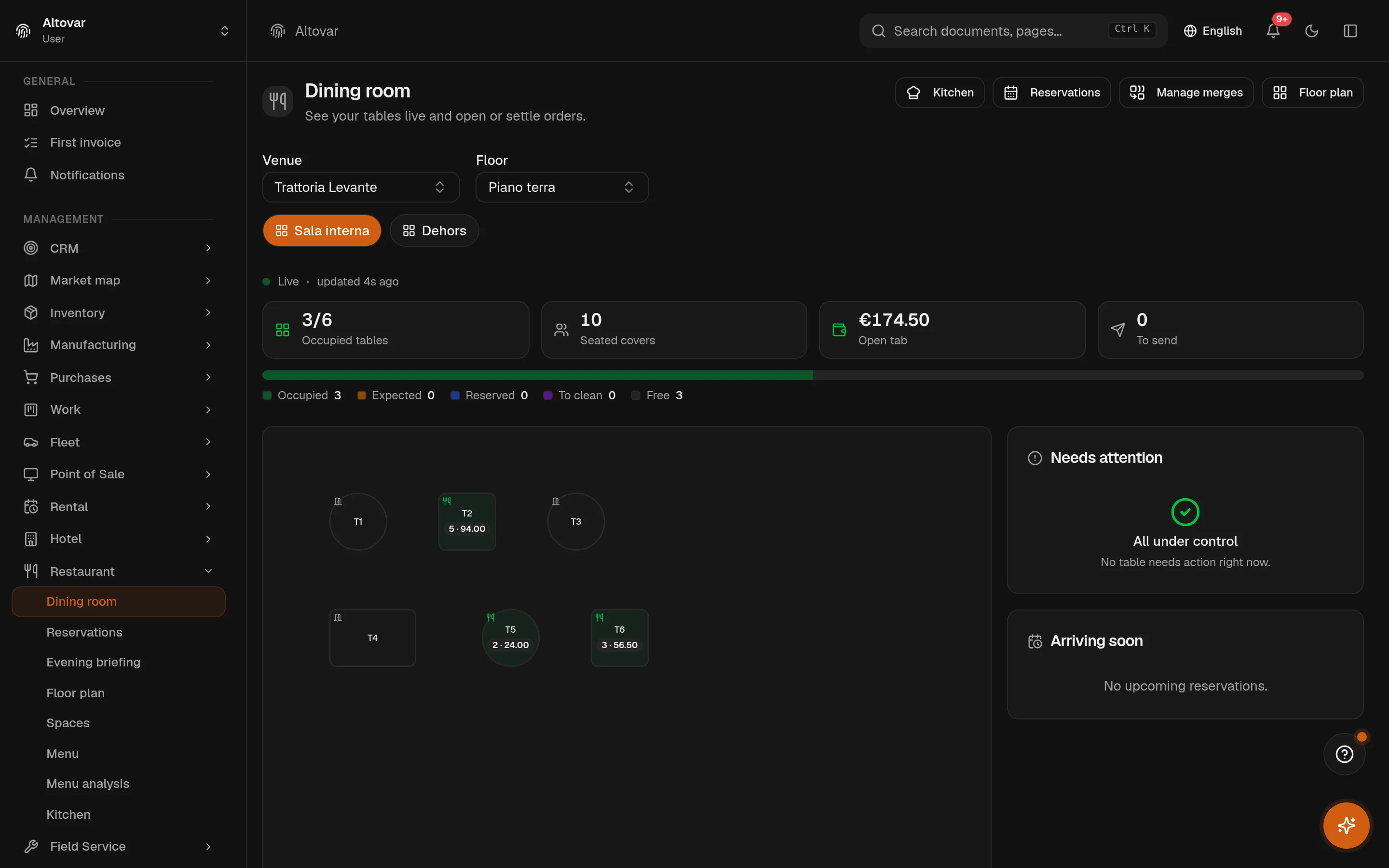
The room you draw is the room the waiter works on. The order goes to the kitchen by station, the bill closes on the till of the same system, and the evening ends with the takings already in the sales register — not in a folder to type up tomorrow. Suppliers, stock, staff and invoices for the banquet live in the same books.
6open, sent, partially served, served, settled, cancelled — the same state the kitchen screen and the floor both read.
Allergens
The 14 of the EU liston every dish, shown next to the price on the public QR menu; the AI can extract them from the ingredients you wrote.
Booking rules
Per weekdayservice windows, turn time and slot step, booking window, largest party and a cap on covers per slot; what does not fit goes to the waitlist.
Till to VAT register
Every saleeach completed sale is a receipt in the day’s takings and a line in the sales VAT register, once and only once; the session close counts cash against what was expected.
A service, start to finish
One evening, five moments, one record.
Scroll through a demo service. Every state below is the product’s own: the bookings engine, the table order, the kitchen screen, the till and the day’s close each read and write the same database.
18:30
Bookings in, room ready
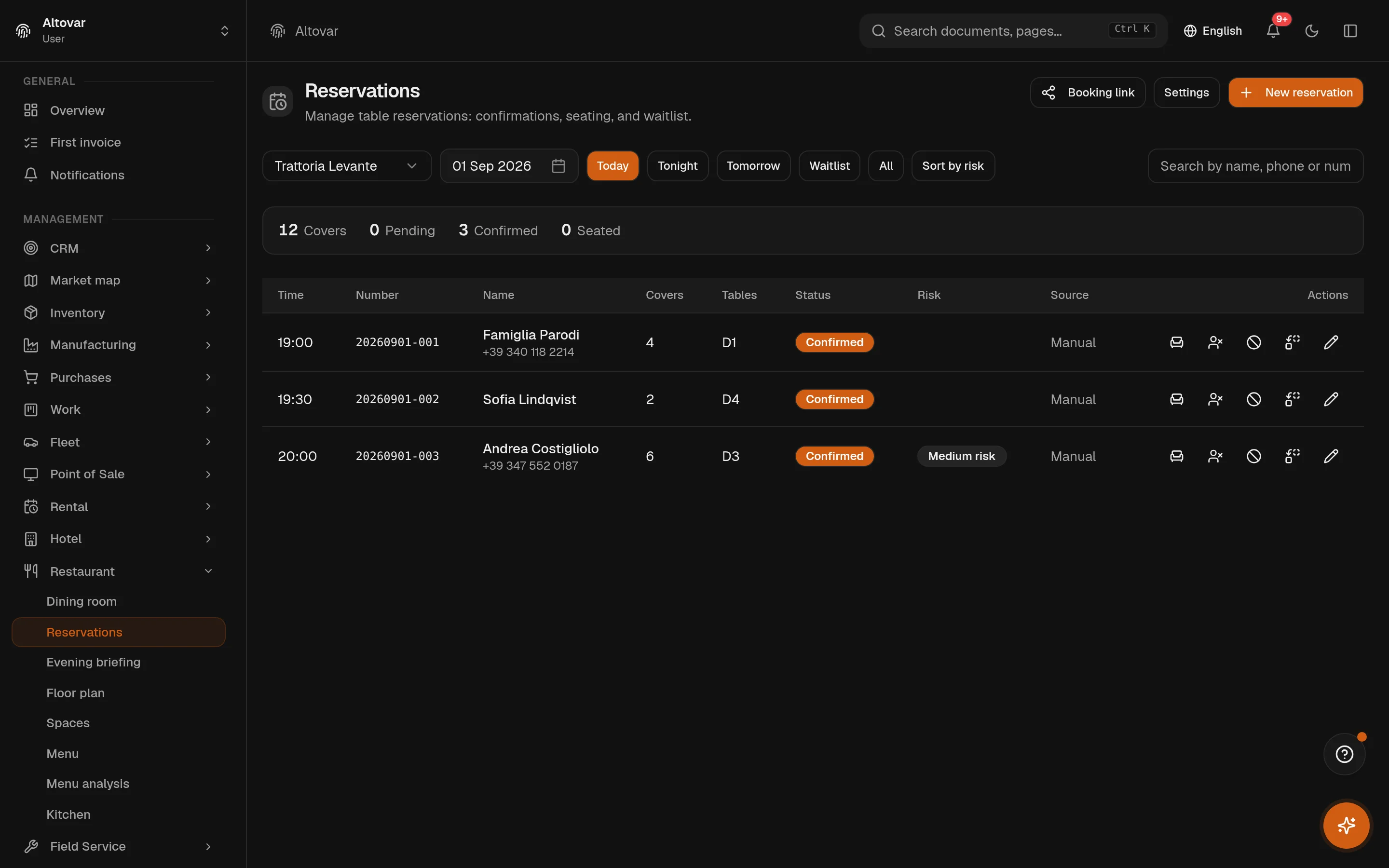
Tonight’s bookings came through the public page and the phone, inside the service windows you set for a Tuesday. Tables are assigned on the plan; a party that did not fit is on the waitlist with an estimated no-show risk on each booking.
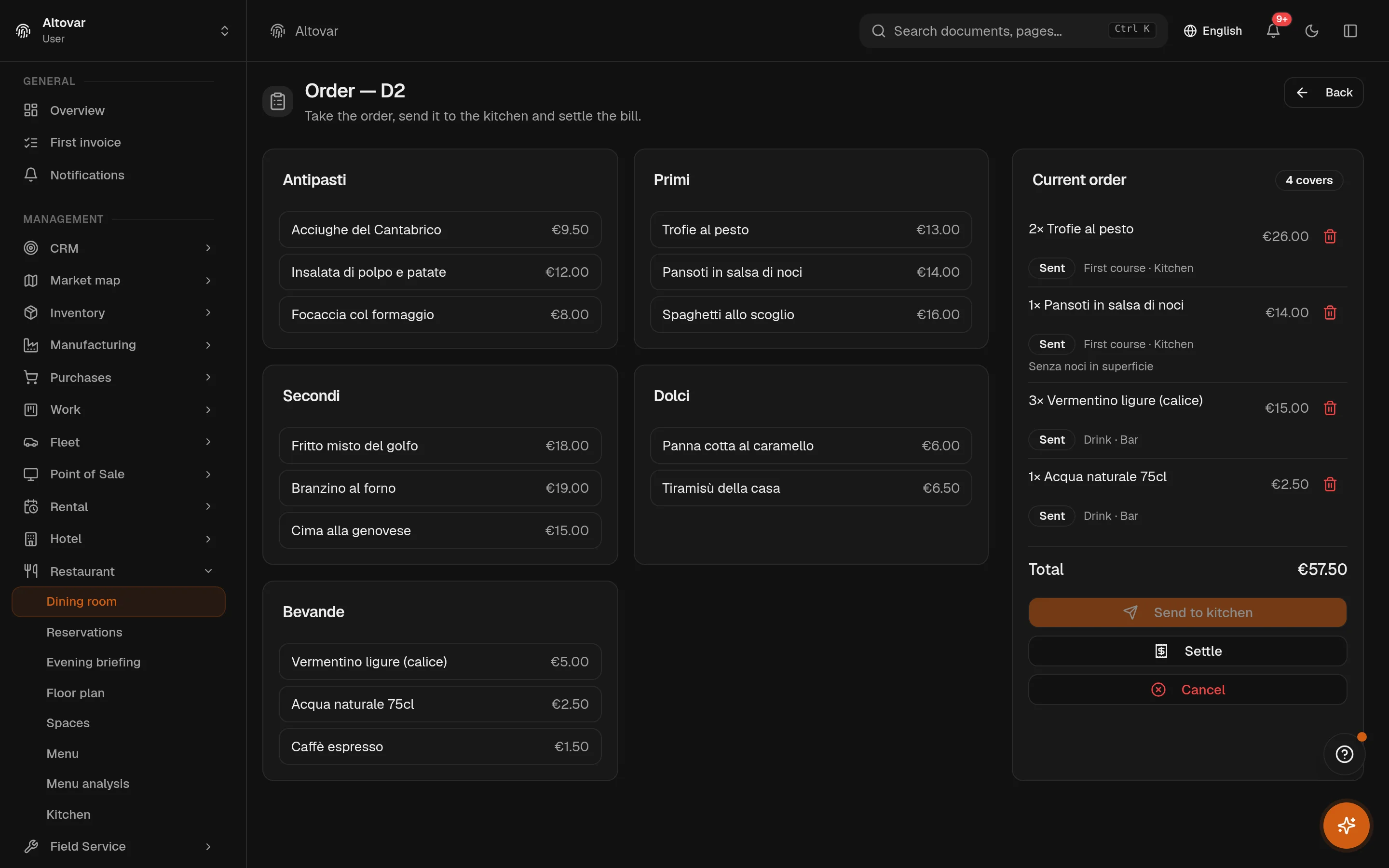
Table 3 is opened with four covers. Dishes are picked from the menu by category, a note goes on the fish; the order is sent. Nothing is retyped: the ticket is the order.
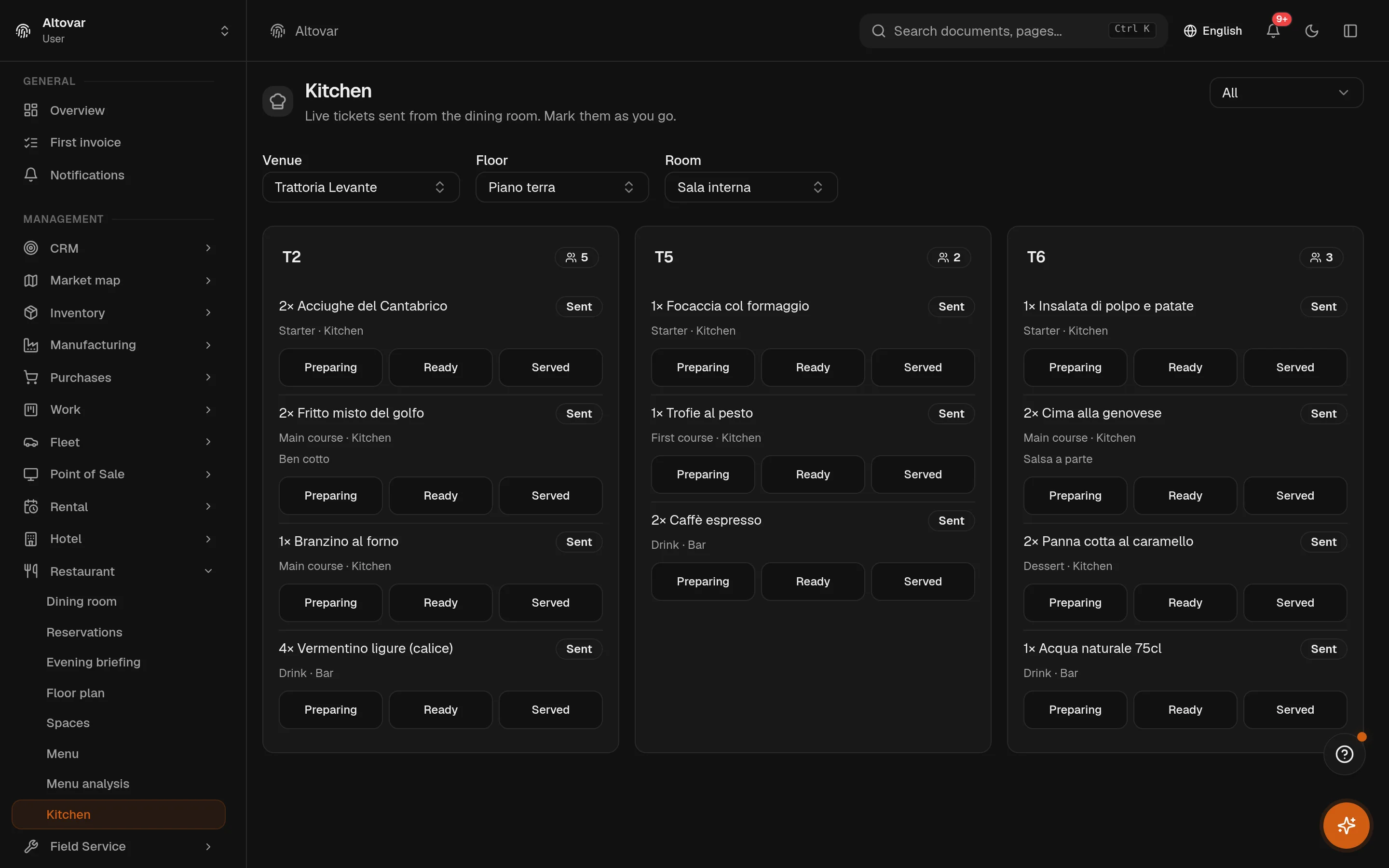
The kitchen screen shows the sent order as one card per table, each line with its course and station. The bar sees the wine and the dessert wine; the kitchen sees the pasta and the fish. A tap moves a line to preparing, ready, served.
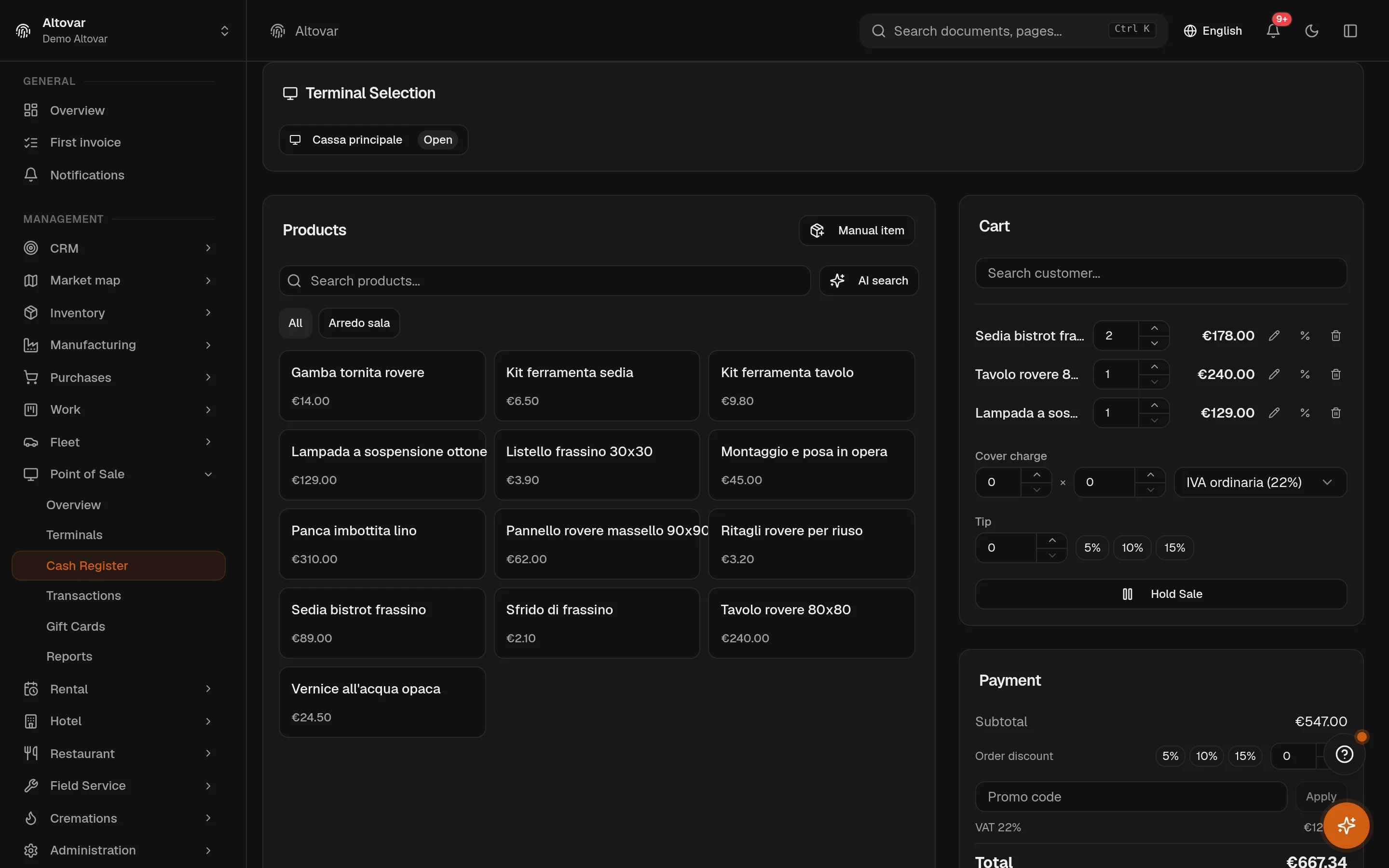
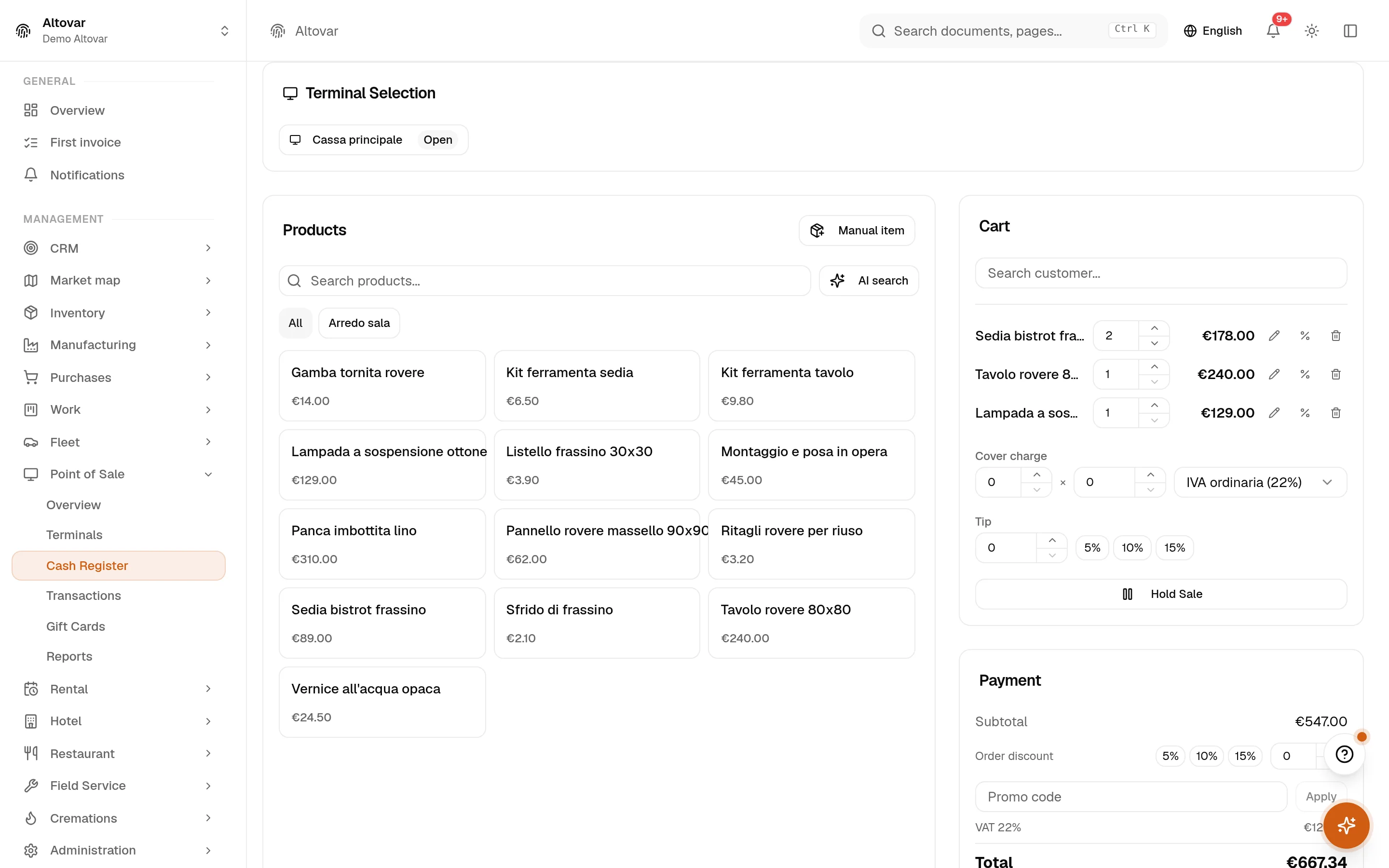
The venue settles on the till: the order becomes a sale in the open register session, paid by card, printed on the network printer. Coupons and gift cards apply here; the amount is in the session totals the moment it is paid.
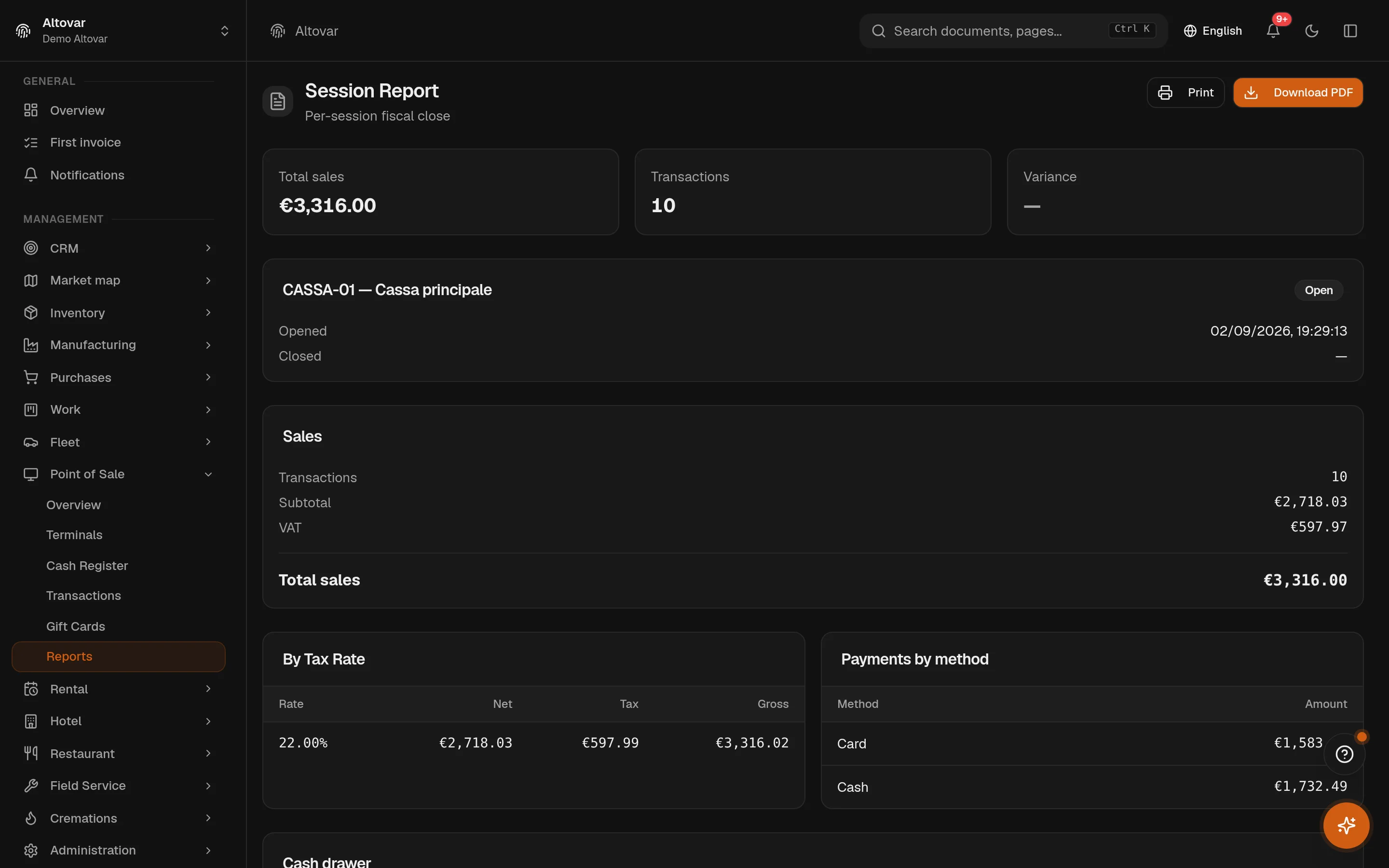
The register session is closed with the cash count against the expected balance. Every completed sale of the evening is already a line in the sales VAT register, and the supplier orders and stock of the week sit in the same books.
Slots come from the rules of the weekday: window, turn, step, party cap. What does not fit goes to the waitlist.
T3 · 4 coversopen
2×Trofie al pestofirst
2×Sea bass, bakedmain
1×Vermentino, bottledrink
1×Sciacchetrà, glassdessert
Each line carries a course and a station. Send once; the kitchen has it.
Kitchen2× Trofie al pesto2× Sea bass, baked
Bar1× Vermentino, bottle1× Sciacchetrà, glass
The kitchen screen splits the ticket by station; a tap advances each line.
T3served
2×Trofie al pesto14,00 €
2×Sea bass, baked22,00 €
1×Vermentino, bottle18,00 €
1×Sciacchetrà, glass6,00 €
Total82,00 €
Paymentcard
Covers served38
Takings1.412,00 €
of which VAT 10%128,36 €
In the VAT register
Session closed with the cash count; every sale is a corrispettivo in the sales register, once.
The modules involved
Six modules, one dining room.
A restaurant runs on the room, the kitchen and the till — and on the suppliers, the stock, the staff and the invoices behind them. These are the modules a restaurant uses in Equinox; each has its own page.
Real captures of the application on a demo venue, in the theme you are reading in. The kitchen screen, the order pad, the till, tonight’s bookings and the session close.
Kitchen — sent orders by table, one line per dish
Order at the table — menu left, ticket right
The till — register session open, cart and payment
Bookings — tonight’s service, tables assigned
Session close — totals by VAT rate and by payment method
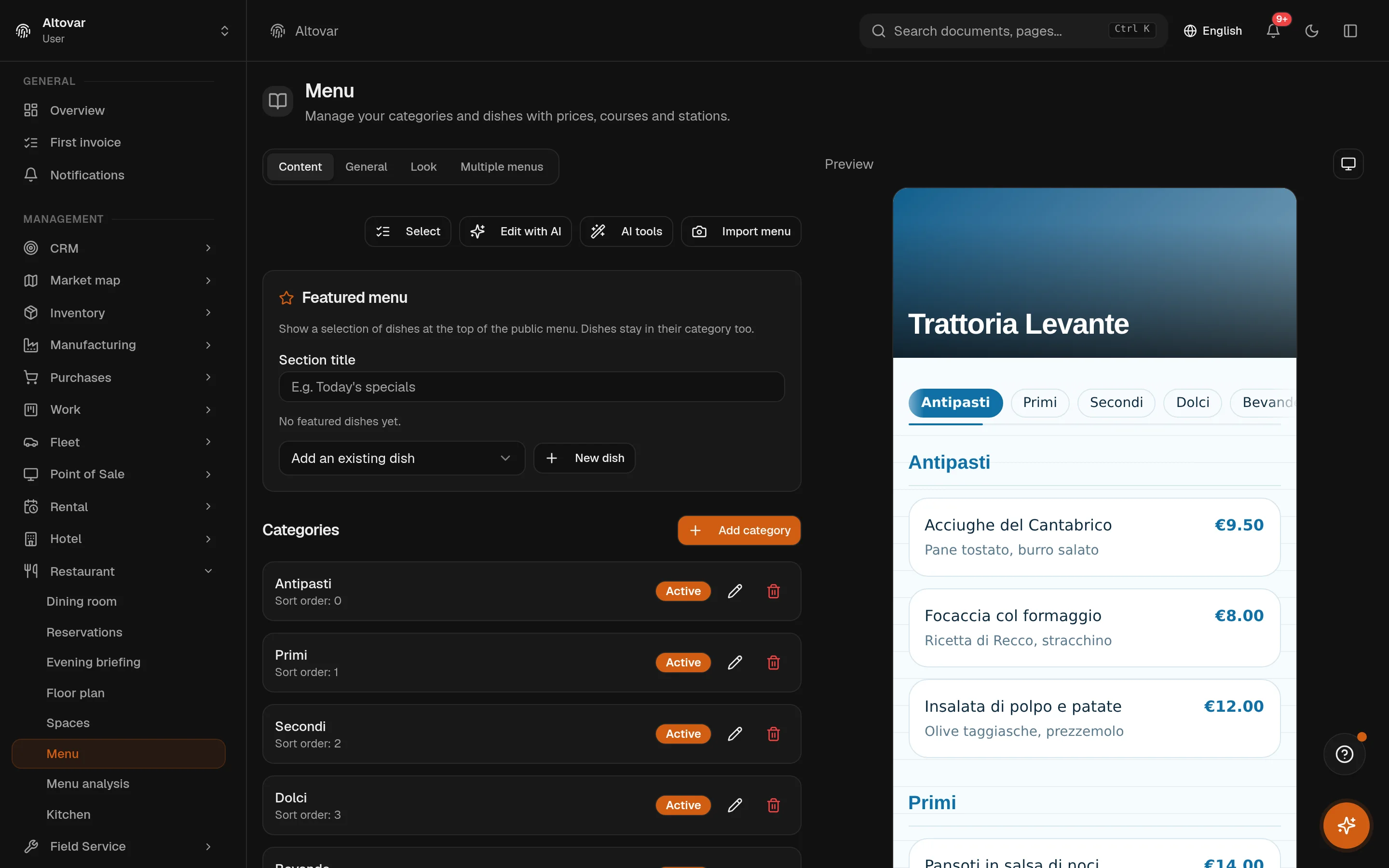
Menu — editor and public preview side by side
What is not here, on purpose: the till prints receipts on network printers and its fiscalisation goes through an external transmission provider you enable — there is no telematic recorder in the box. Online takeaway and delivery ordering are not part of the product today.
Show us your room.
Tell us how many covers, how many tables, what the kitchen looks like. We will walk you through Equinox on a venue like yours — and be straight about what it does not do.